
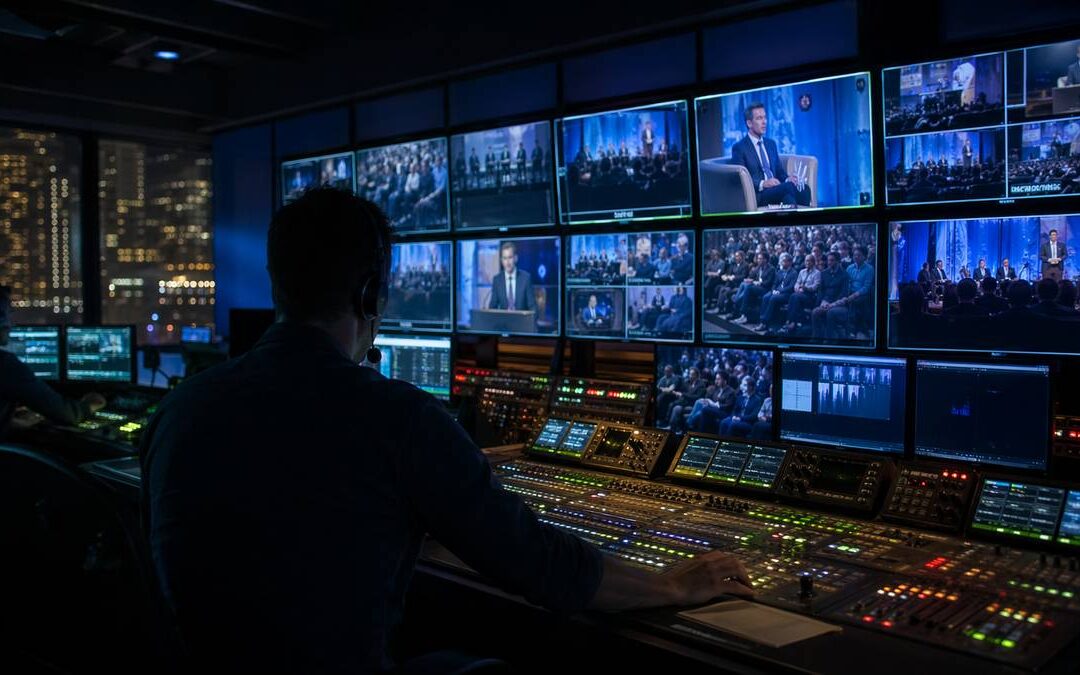
Livestream Production for Corporate Events: What matters before the camera goes live
The most stressful moment in a corporate livestream isn’t when the camera turns on. It’s the hour before: executives arrive, slides shift, remote speakers log in, the audience settles, and every technical decision suddenly matters. Professional livestream production for corporate events is about making that hour feel planned and manageable so the message lands for both in-room and remote audiences.
A corporate livestream can be a town hall, sales kickoff, leadership summit, product launch, training session, investor update, or conference keynote. In each case the stakes are higher than a standard video call: the audience expects clarity, and leadership expects the messaging to hold. The production team protects both.
Ready to Elevate Your Corporate Video Production?
ICV Digital Media delivers professional video production, live streaming, and event coverage for Fortune 500 companies and regional teams nationwide. Book a free 30-minute strategy call.
Audio is the first priority
Viewers will forgive modest visuals far more easily than they will forgive poor audio. Start planning with microphone selection, room acoustics, remote-speaker audio, playback routing, and active monitoring. Every presenter needs a reliable source, and the production team must hear exactly what the online audience hears.
- Speaker too far from mic: plan lavalier, headset, podium, or handheld microphones based on mobility and camera blocking.
- Remote echo or bleed: implement mix-minus routing and verify it during tech checks.
- Playback levels: test videos with the room PA and stream feed; have an audio operator dedicated to monitoring stream levels.
- Room noise and spill: choose directional mics, position speakers, and run sound checks with house noise present if possible.
- Stream vs. room mismatch: use a dedicated stream monitor (headphones or separate mix) rather than relying only on in-room speakers.
Internet and redundancy must be planned early
A livestream is only as reliable as its network and backup paths. Request a hard-line connection from the venue and validate bandwidth with sustained test streams that emulate the event’s bitrate. Map out immediate failover steps: cellular bonded backup, a second wired circuit, or an alternate encoder and platform. Make sure the production partner, venue IT, and platform owner agree on cutover responsibilities before show day.
What should the backup plan include?
Identify primary and secondary uplinks, where the encoder will move if needed, who will trigger a platform failover, and what on-screen messaging appears if you must switch to a holding screen or pre-recorded content. Practice the cutover in a dry run.
The run of show should include every technical cue
A run of show is more than names and times. It should call camera shots, slide cues, video playback points, lower-third graphics, intro and exit music, hold screens, Q&A timing, sponsor deliverables, remote-speaker handoffs, recording markers, and recording handoff details. When cues are explicit, the crew can act fast without guessing.
Also map contingency actions directly into the run of show: what to display if a keynote video fails, who improvises content if a remote executive disconnects, and which moderator prompts to use if live Q&A stalls.
Rehearsal is not optional
Rehearsal reduces both technical and messaging risk. Presenters learn camera blocking, where to look, how to advance slides, and when to pause for transitions. The production team uses rehearsal to verify camera angles, audio mixes, graphics playback, captions, Q&A routing, and the recording workflow.
For executive briefings, rehearsal builds confidence. Leaders communicate better when they know where to stand, how to use their mic, and how the remote audience will experience their talk.
Engagement needs a moderator
Livestream viewers won’t engage automatically. A moderator keeps remote attendees aware of how to participate, filters audience questions, surfaces the right items for executives, and protects presenters from being side-tracked. Use polls, chat prompts, Q&A cues, and brief interactive moments intentionally rather than as fill.
- Q&A: ideal for leadership updates, product demos, and town halls.
- Polls: quick sentiment checks or knowledge reinforcement.
- Chat: support, links, and running reminders (managed by a dedicated producer).
- Surveys: post-event feedback and planning data for future sessions.
- Replay analytics: identify who watched and which segments performed best for follow-up content.
Recording should be treated as a deliverable
Treat the recording like a product: decide which feeds need isolated capture, whether captions and chapter markers are required, how files will be backed up, and the turnaround time for edited assets. Recordings often become training clips, sales enablement, and internal comms, so capture with post-production in mind—clean graphics, clear audio tracks, and intentional highlight moments.
ICV production note
From our field experience: run a full dry run with the complete crew and at least one presenter on a device that mimics the remote audience. Walk camera blocking, rehearse slide builds with the presenter, verify captions and recording handoff, and confirm backup paths (secondary internet, spare encoder, alternate platform). Assign one person to monitor the stream output, one for in-room AV, one for remote speaker support, and one producer who manages the run of show and sponsor deliverables. This division of labor prevents one person from becoming a single point of failure.
Final recommendation
A corporate livestream succeeds when the audience never has to think about the tech. They hear the message, see the speakers, participate when invited, and leave confident. That outcome requires deliberate planning, a run of show with technical cues, rehearsal, dedicated monitoring, and clearly mapped backup paths.
If your next corporate event cannot afford livestream failure, ICVDM can help plan and produce the broadcast before the camera goes live.
Questions attendees and searchers often ask
How far in advance should we plan a corporate livestream?
Plan technical and venue coordination as early as possible—ideally several weeks before the event. Reserve venue internet and AV resources early, schedule at least one full technical rehearsal, and allow time for platform testing and captions workflow approval.
Who should be on the rehearsal call?
Include presenters, the AV lead, the livestream producer, the audio engineer, the recording editor (if needed), the moderator, and an IT representative from the venue or corporate side. Remote presenters should join from the device they will use on event day.
What do we need to hand off after the recording?
Agree in advance on file formats, isolated feeds, separate audio tracks, captions files, chapter markers, and delivery timelines. Confirm who is responsible for post-production edits and where final assets will be stored so the recording handoff is clean.
Work with ICVDM
If this planning question is active for your team, contact ICVDM to map the right production plan before your next corporate event, town hall, livestream, or sales kickoff.
How ICVDM helps
ICVDM helps organizations plan and produce livestream production for corporate events with the strategy, technical production, livestream support, editing, and post-event content needed so the message remains useful after the live moment ends. We focus on rehearsal, run of show detail, camera blocking, audio workflows, captions, backup paths, and clear recording handoffs.
calendly.com/icvryanrollins/30min”>Book a 30-minute ICVDM production consultation to discuss the production needs, risks, and next steps for your corporate event.
Ready to turn this into a stronger executive video program?
Book a 30-minute strategy call
If you are planning town halls, sales kickoffs, leadership updates, livestreams, or a year-round video content engine, Imageinators can help map the production path, reduce execution risk, and identify the highest-leverage content opportunities.
Plan a Better Corporate Event, SKO, or Livestream
If your team is planning a sales kickoff, leadership meeting, town hall, webcast, or hybrid event, use the form below to start a conversation with ICVDM.