
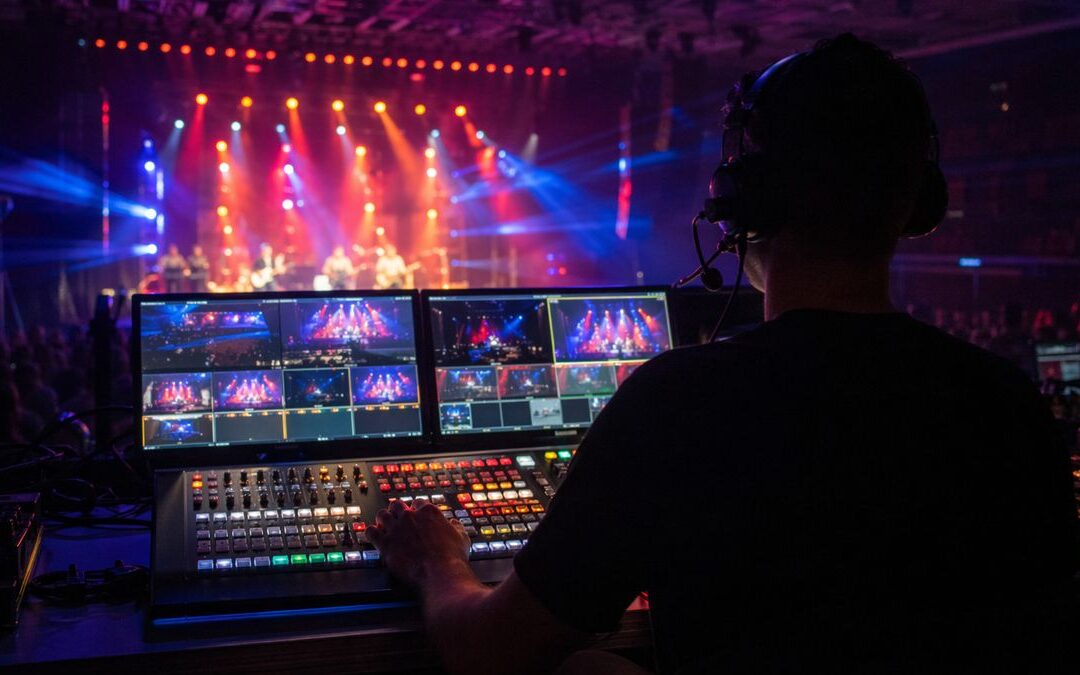
Conference Livestream Production: How to Serve Sponsors, Investors, and Remote Attendees Without Lowering the Bar
If your team is buying a livestream to “just get the day online,” you’re already behind. Communications, marketing, event, and executive teams need conference livestream production that does more than look polished: it must protect the message, meet sponsor commitments, and create assets that work after the last session ends.
This piece focuses on the buyer problem: how to plan production so the live moment serves remote attendees, sponsors, investors, and internal stakeholders without adding brittle complexity. The difference is in choices made before the show — run of show, rehearsal cadence, speaker prep, camera blocking, and clear approval paths — not in last-minute troubleshooting.
Ready to Elevate Your Corporate Video Production?
ICV Digital Media delivers professional video production, live streaming, and event coverage for Fortune 500 companies and regional teams nationwide. Book a free 30-minute strategy call.
Why conference livestream quality affects more than the remote audience
People assume the livestream only matters to remote viewers. In reality, poor feeds reflect back on sponsors, investors, and executives and can undermine months of programming work. Conversely, a clear, consistent stream preserves credibility and creates usable recordings for sales, recruiting, investor relations, and internal enablement.
These benefits come when organizers treat the livestream as a designed production: multiple audio mixes, slide capture, captioning, and planned sponsor placements — not a single baseline camera shoved to the back of the room.
What sponsors and external stakeholders expect
Sponsors expect brand-safe exposure and deliverables they can use. Investors expect controlled executive messages and predictable camera framing. Remote attendees expect readable slides, clear audio, and the ability to follow Q&A. Meeting these needs means coordinating camera coverage, audio capture, sponsor graphics, platform features, chat moderation, captions, and a recording handoff plan.
Often the highest-value output isn’t the live stream itself but the content library you build afterward: keynote clips, panel highlights, product demos, and sponsor-ready recaps. Plan those deliverables during pre-pro so you don’t lose them in post.
The production plan that protects the event
A solid conference livestream production plan lists technical and human decisions in plain language: camera positions and camera blocking, microphone strategy and backup paths, a dedicated stream mix for remote attendees, slide capture method, captioning approach, recording settings, and who has executive approval for any change during the show. Put those items into the run of show so everyone knows when to act.
Rehearsal is non-negotiable. Run a full tech rehearsal with speakers, slides, and any remote presenters. Walk the run of show once with camera blocking, then again focusing on audio and sponsor moments. Use speaker prep sessions to trim introductions, confirm slide timings, and practice handoffs for Q&A.
On-site, protect your remote audience with active monitoring: a dedicated feed operator watching the encoded stream, a producer tracking chat and captions, and an alternate internet path or cellular backup. Have a clear recording handoff so editors can pull clean cuts and create sponsor deliverables the same day.
ICVDM production note: We build the run of show to include at least two rehearsals — a technical run and a content run — and list sponsor deliverables directly in the show file. That way, camera blocking and packetized clip markers line up for editing, and the post-event delivery matches expectations without guesswork.
How ICVDM turns livestreams into lasting marketing assets
ICVDM supports both the live show and the content strategy that follows: clean multitrack capture, editorial clipping, sponsor clip packs, social-ready excerpts, and internal recap videos. When editors receive clear recording metadata and time-coded sponsor markers, the turnaround time for usable assets shrinks and quality improves.
Start livestream planning early. Early alignment around stage layout, lighting needs, and sponsor placement avoids last-minute compromises that hurt audio, camera sightlines, and the remote attendee experience.
Livestream audience requirements
| Audience | What They Need | Production Choice |
|---|---|---|
| Remote attendees | Readable slides, clear audio, stable stream | Dedicated stream mix and monitoring. |
| Sponsors | Professional brand exposure and usable recap clips | Planned graphics and post-event deliverables. |
| Investors or executives | Controlled messaging and polished visuals | Rehearsals, camera blocking, and broadcast-ready audio. |
| Sales and marketing | Reusable moments after the event | Recording plan and clip strategy from the start. |
How do you make remote attendees feel included?
Design the remote experience intentionally: a separate program audio mix, close-up camera shots on speakers and audience Q&A, readable slide capture (native slide feed when possible), live captions, and an active chat or moderation channel for questions. Plan camera switches around Q&A and cue a producer to promote meaningful chat questions to the stage host.
What technical backups should you plan for?
Always build redundancy: a secondary internet route (bonded cellular or backup ISP), spare encoders or a software failover, spare microphones and cables, and an alternate recording station. Also plan a procedural backup: a recorded video to roll if a presenter can’t join, and an approved shorter rundown to keep the session moving.
How do you protect sponsor deliverables during the live event?
Include sponsor deliverables in the run of show with exact timestamps, logo files, lower-third specs, and clip lengths. Assign a producer to verify each deliverable during the show and ensure the recording handoff includes timecodes and export notes so editors can deliver consistent, platform-ready files.
Related ICVDM resources
- Hybrid event production planning
- Sales kickoff production playbook
- Corporate town hall engagement strategies
- Questions to ask a corporate event production company
Final takeaway
Conference livestream production is a planning discipline. With rehearsal, explicit sponsor deliverables, clear approval paths, captions, reliable backup paths, and a defined recording handoff, you protect the live moment and create high-value content that lasts.
References
calendly.com/icvryanrollins/30min”>Book a 30-minute ICVDM production consultation to discuss the production needs, risks, and next steps for your corporate event.
Ready to turn this into a stronger executive video program?
Book a 30-minute strategy call
If you are planning town halls, sales kickoffs, leadership updates, livestreams, or a year-round video content engine, Imageinators can help map the production path, reduce execution risk, and identify the highest-leverage content opportunities.
Plan a Better Corporate Event, SKO, or Livestream
If your team is planning a sales kickoff, leadership meeting, town hall, webcast, or hybrid event, use the form below to start a conversation with ICVDM.