
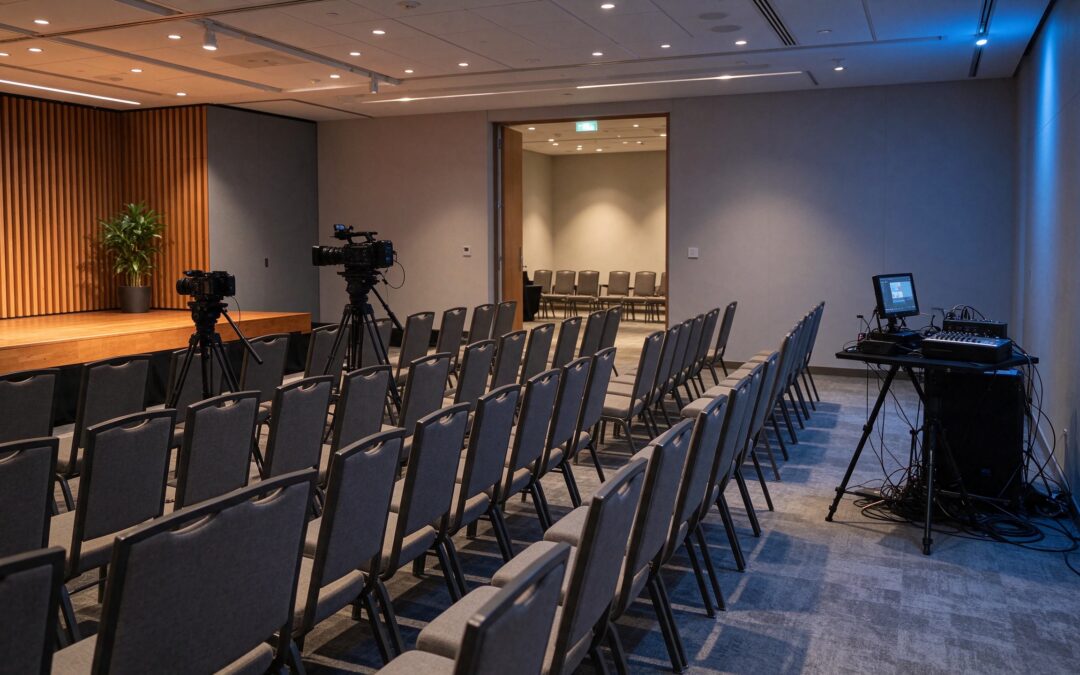
Choose a livestream, record-only coverage or no capture for each conference breakout separately. Live delivery fits an audience that needs the session at its scheduled time; recording fits a defined later use; neither fits sessions without an approved capture purpose. Before committing, confirm live participation needs, replay usefulness, confidentiality and permissions—not simply how many rooms appear on the agenda.
Who needs each breakout, and when?
A breakout session livestream vs recording decision starts with the audience, not the camera plan. Name the people who need access: employees unable to travel, a regional team, invited partners or attendees choosing between concurrent sessions. Then ask whether watching at the scheduled time accomplishes something that a replay cannot.
For example, a remote group may need to hear a decision before an afternoon planning meeting. That creates a time-sensitive viewing requirement even without questions. A training presentation intended for onboarding next month has a different purpose. Its later usefulness depends more on a clear recording and approved release than on simultaneous delivery.
Write the actual local viewing time for each intended group. A convenient West Coast conference slot may be impractical elsewhere. Do not count a geographically dispersed audience as evidence that every room needs to go live. Ask its owner whether real-time attendance is expected or later access would serve the need.
Separate live viewing from live participation. If remote attendees must ask questions or contribute to discussion, identify how their input reaches the room and who manages it. Streaming a speaker does not, by itself, provide that participation route. Make the interaction requirement a scope question rather than assuming a platform feature or included moderator.
When should you choose live, record-only or no capture?
Choose live delivery when the intended remote audience has a clear reason to attend at that time and the approved scope can serve it. Specify whether viewers only watch or also participate. Decide separately whether a recording is wanted: a live choice does not automatically authorize an archive or define a replay deliverable.
Choose record-only when the audience can watch later and the session has a useful, approved second life. A slide-led explanation may support training or reference. A discussion may need additional context before it becomes useful outside the room. Identify what the future viewer needs to understand, not just what can be captured.
Choose no capture when there is no defined live audience or replay purpose, or when confidentiality and permission decisions do not allow capture. This can be the right choice for an internal working discussion whose value lies in candid participation. It means no production recording or stream for that session; it does not mean removing the room’s presentation display, microphones or other in-room AV.
A lower-priority session can still merit recording, while a high-profile speaker may not have approved distribution. Agenda prominence is not a substitute for the capture decision. Use the criteria independently for each session, even when several sessions occupy the same room.
What must be cleared before capture is approved?
Give permission status its own field. Record who can approve the speaker’s contribution, presentation materials and intended distribution under your organization’s agreements. Treat live transmission, internal replay, external publication and reuse in clips as separate proposed uses. Approval for one should not be assumed to cover another.
Also identify confidential content and audience contributions. A session may include unreleased information, customer examples or questions that were not part of the prepared slides. Ask the appropriate organizational owner to decide what may be captured and shared. Where needed, involve your legal or privacy advisers; a production plan cannot determine rights or compliance for you.
If approval is unresolved, select no capture unless approval is obtained as the current instruction. Keep any desired future coverage in the notes, assign an owner and set a buyer-agreed decision deadline. Do not leave a blank selection that the production team might interpret as permission to record.
For an approved replay, name its release owner and purpose. Ask whether viewers need slides visible, audience questions audible, introductory context or removal of restricted material. Captions, transcripts, editing and hosting are separate requested outputs to confirm—not automatic consequences of recording. State the intended audience and access period without promising a turnaround that has not been agreed.
How do you complete the session coverage decision matrix?
Copy the blank matrix into a spreadsheet or planning document and add one row for every session, including sessions with no capture. Use a unique session ID that links to the room, date and start/end time in your schedule. This avoids confusing a room’s morning livestream with its afternoon no-capture discussion.
Assumptions: this is an editorial buyer worksheet, not an ICV operating document, quote or rights release. The buyer supplies audience needs and approvals; the production provider confirms feasibility and the written scope. Select exactly one coverage choice per row. A live row can request a replay in its output field, but that recording still requires explicit approval and scope.
| Session ID | Audience | Live participation need | Replay purpose | Permission status | Selected coverage | Requested output | Owner |
|---|---|---|---|---|---|---|---|
| [ID linked to room/time] | [Who needs access] | [Watch / contribute / none; reason] | [Specific later use / none] | [Approved uses / unresolved / declined] | [Live / record-only / no capture] | [Required result / none] | [Named decision owner] |
Hypothetical example: the following fictional sessions illustrate selection only. They do not describe an ICV client, venue, equipment package or result.
- A-101, Room A: audience—remote regional managers; live participation—watch a briefing before their planning meeting; replay purpose—absent managers’ reference; permission status—live and internal replay approved in this fictional scenario; selected coverage—live; requested output—live viewing plus a separately scoped internal replay; owner—internal communications lead.
- B-201, Room B: audience—future new hires; live participation—none; replay purpose—onboarding explanation; permission status—internal recording and replay approved in this fictional scenario; selected coverage—record-only; requested output—reviewable session recording with slides visible, release subject to approval; owner—training lead.
- C-301, Room C: audience—in-room working group; live participation—none for remote viewers; replay purpose—none; permission status—capture declined in this fictional scenario; selected coverage—no capture; requested output—none; owner—session sponsor.
The completion test is simple: every scheduled session has one explicit capture choice and an owner. Then review unresolved approvals and check that the requested output matches the approved use. A complete matrix can still contain open production questions; it should not contain silent capture assumptions.
How do concurrent rooms change the production brief?
Group the completed rows by overlapping time windows. Two selected livestreams at the same time are two concurrent delivery requirements, not merely two entries in an agenda. Ask the provider to confirm how each selected room will be operated and monitored. Do not assume one shared operator, a staffing ratio or a standard room package.
Use the matrix to resolve these specific scope questions:
- Which room sources must reach each live viewer or recording: speaker, slides, playback and audience questions?
- Who handles the agreed capture and any remote contribution, and during which session windows?
- Who checks the intended live viewing destination or recorded result, and who handles an issue?
- Who controls access, reviews recordings, approves release and receives the agreed files or viewing links?
Include changeover time and room access in the linked schedule. When a session moves, update its capture row and notify the scope owner. A change from no capture to live delivery needs provider confirmation, not just an agenda edit.
ICV’s corporate conference production page provides the broader room-and-agenda scope context. Its live webcasting service description discusses conference webcasting and on-demand recordings. These public service categories do not establish the equipment, interaction, monitoring or outputs included for your particular event.
For a San Diego conference, bring the actual venue, dates, room schedule and selected coverage to a discussion of ICV’s San Diego video and webcast services. San Diego appears in ICV’s listed service locations; confirm travel or local arrangements and venue constraints. The listing does not establish a local office, resident crew, venue package or availability.
If the conference spans several days, use the related multi-day association conference production article for adjacent coordination topics. Keep this matrix responsible for capture selection rather than expanding it into agenda design or an all-event checklist.
What do buyers ask about breakout capture?
Does every conference breakout need to be streamed?
No. Select coverage according to the intended audience, live participation need, replay value and permission status. There is no universal all-room requirement.
When is record-only coverage a better fit?
It can fit a session whose intended audience will watch later and does not need live participation. Confirm the recording, review process and delivery scope; capture alone does not define a usable replay.
How should we brief simultaneous rooms?
List each session’s room and time, selected coverage, sources, intended viewers, outputs and owner. Ask the provider to confirm the resulting equipment, staffing, monitoring and access scope.
What if a speaker has not approved recording?
Mark permission as unresolved, select no capture unless approval is obtained and assign an approval owner. Do not treat a speaker’s presence or the venue booking as permission to capture or publish.
What should a San Diego conference buyer confirm with ICV?
Confirm dates, venue constraints, travel or local arrangements, room concurrency and selected coverage. A listed service location does not guarantee availability or a preconfigured package.
Sources and editorial notes
ICV Digital Media buyer guide, prepared with AI-assisted research and drafting. Worksheets and labeled examples are original editorial aids, not client records or technical certifications. Confirm project-specific requirements in the agreed production scope.