
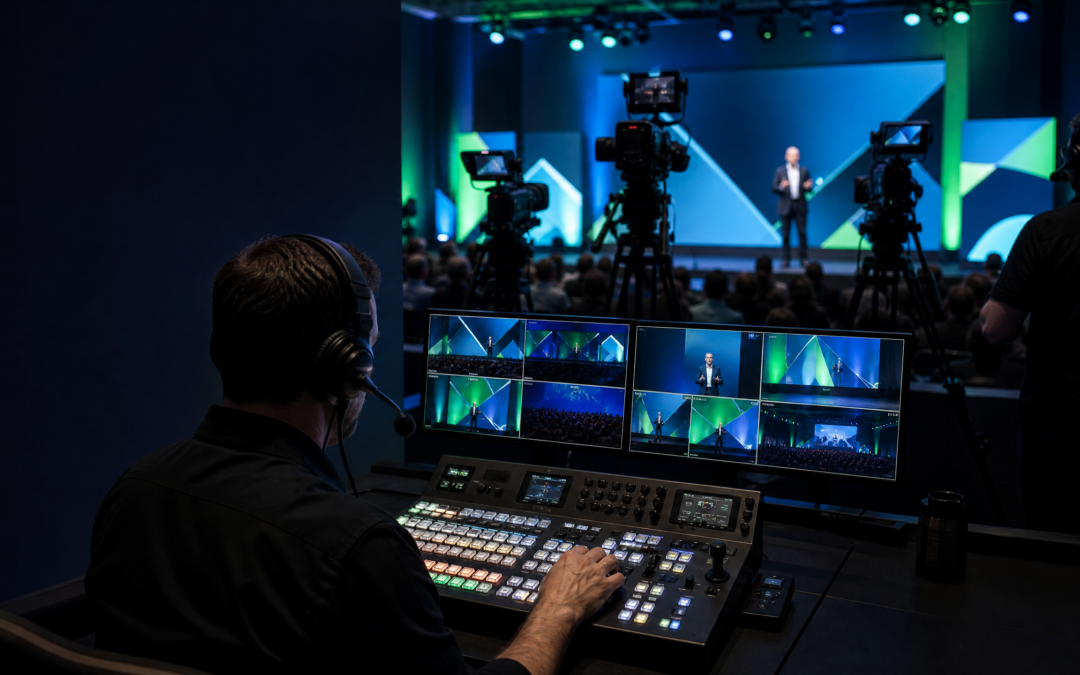
Multi-Camera Live Switching for Corporate Events is more than toggling cameras—it's a production discipline that turns disparate angles into a coherent narrative. For corporate audiences, clarity means choosing shots that support messaging, align with presenter dynamics, and respect time constraints. This article covers the technical and human workflow required to shape coverage into a clear story: pre-event zone planning, director and operator coordination, signal routing and redundancy, live visual storytelling techniques, and post-event asset delivery. It’s aimed at in-house event teams, production partners, and technical leads who need practical steps to plan, execute, and hand off multi-camera recordings that match corporate standards and stakeholder expectations.
In This Guide
- Pre-Event Camera Coverage Strategy
- Multi-Camera Live Switching for Corporate Events: Roles, Routing, and Redundancy
- Technical Workflow: Feeds, Multiviews, and Signal Management
- Live Directing and Visual Storytelling on a Tight Timeline
- Post-Event Deliverables: ISOs, Edits, and Client Handovers
Planning an event with high stakes? Book a 30-minute consultation with ICV Digital Media.
Pre-Event Camera Coverage Strategy
Start by mapping the room with the program in mind: keynote, panel, demo, Q&A each require distinct coverage priorities. Identify primary and secondary camera zones, sightlines to screens and presenters, and potential obstructions like lecterns or demo tables. Decide on camera types and mounts—pedestal for steady presenter shots, handheld or shoulder for mobility, tight lenses for product demos. Create a floor plan with backline power and SDI/IP runs, and label cable paths. Confirm remote talent or off-site contributors and whether ISO recordings are required per camera. Early rehearsals with the director and a camera lead let you refine angles and establish a consistent visual language that prevents ad-hoc decisions during the live switch.
Multi-Camera Live Switching for Corporate Events: Roles, Routing, and Redundancy
Define clear roles: a director who calls shots, a switcher who executes cuts, a technical director handling routing and multiview configuration, and camera operators focusing on framing and tally. Map signal routing from cameras to the vision mixer and to recorders and encoders, keeping SDI and IP paths documented. Plan redundancy: dual recorders for program outputs, backup multiview with an independent monitor, and alternate routing in case an SDI converter fails. Establish talkback channels and tally behavior so operators respond instantly to director commands. Having an ops checklist that ties each role to specific connectors and backup devices reduces confusion and keeps live switching reliable, even when last-minute schedule changes appear.
Technical Workflow: Feeds, Multiviews, and Signal Management
Design the signal chain end-to-end: camera feed, embed audio or feed from desk line, route to the mixer, and distribute to program recorders and streaming encoders. Configure multiview layouts to surface program, preview, keyers, and auxiliary feeds for the director and TD. Manage frame rates and color spaces consistently across cameras to avoid visible jumps on cuts. Use timecode or genlock where possible for frame-accurate editing post-event. Label patch panels and create a one-page signal map for the crew. In places like the Bay Area where venues vary widely, plan for both SDI and IP capture options and verify bandwidth and latency to ensure live switching decisions are based on stable, low-latency feeds.
Live Directing and Visual Storytelling on a Tight Timeline
Directing for corporate audiences requires prioritizing clarity: announce A-roll frames for slides, pull tighter on speakers during key points, and cut to audience or reaction shots sparingly to preserve pacing. Prepare a shot list keyed to agenda moments—intro, key stat reveal, product demo, and close—so the director can anticipate moves instead of reacting. Use graphic layers thoughtfully: lower thirds for names, keyed overlays for transitions, and full-screen visuals only when necessary. Maintain director-to-floor communication for timing; a stage manager can signal transitions and mic changes. When time is constrained, favor longer, cleaner cuts and fewer camera moves to avoid visual noise and keep the message central.
Post-Event Deliverables: ISOs, Edits, and Client Handovers
Plan deliverables during prep: which isolated camera files (ISOs) are needed, editorial selects, and a single-program master. Label and back up media immediately after wrap, using checksum or verified copy procedures to protect assets. Provide a timecode-aligned manifest that links camera ISOs to the program master, and include multitrack audio stems for post mixing. Offer a quick-turn highlight reel plus full-resolution files when agreed. Prepare a technical handoff document that includes camera logs, codec specs, and the switcher timeline to help post teams recreate or modify cuts. Clear, organized handover saves editorial time and preserves the story you built during the live switch.
Planning Checklist
Use this concise checklist to convert the planning discussion into practical next steps.
- Map camera zones and cable runs with the director and client before load-in
- Assign crew roles and test talkback/tally during tech rehearsal
- Run full signal-path tests and redundancy checks at least once before doors
- Label, verify, and back up ISOs immediately after wrap for handoff
Related Corporate Production Resources
Teams can also review ICV Digital Media’s Bay Area video production, live streaming and webcasting production pages when defining scope, delivery requirements, and technical planning. When the outline is ready, request an estimate to discuss the production approach with an ICV producer.
The ICV Perspective
ICV Digital Media helps corporate teams turn complex programs into clear, broadcast-quality experiences. Our approach brings together production planning, dedicated technical execution, hybrid-event operations, and practical contingency planning so the event can serve both its audience and its business purpose.
Build a More Reliable Event Experience
Talk through your venue, production scope, hybrid workflow, and run of show with an ICV Digital Media producer.