
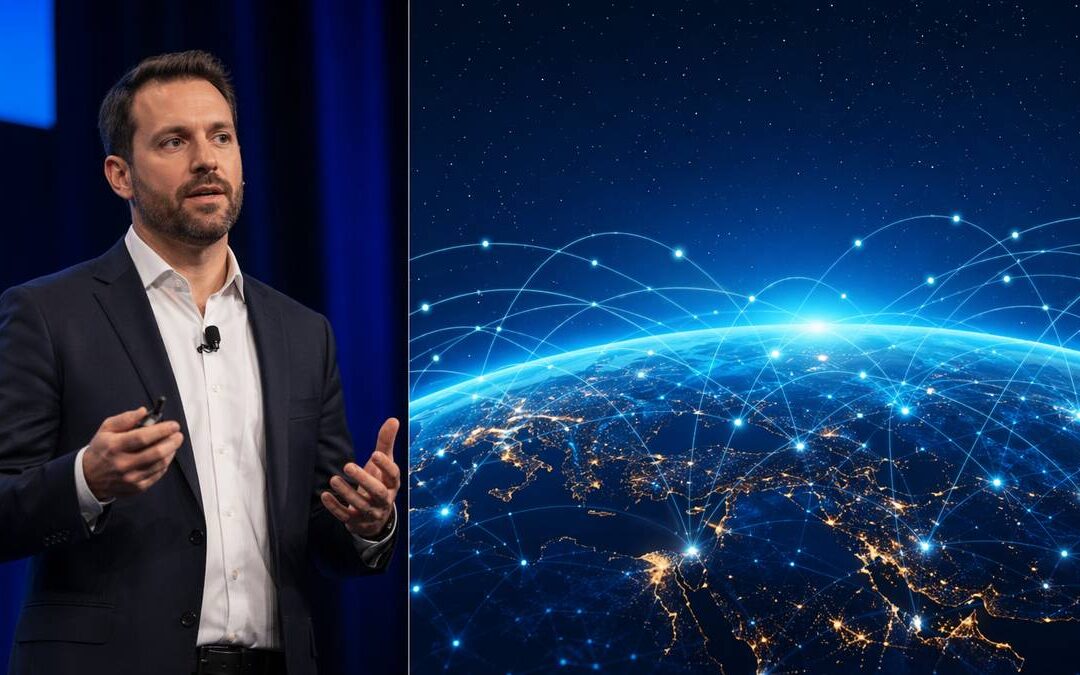
Planning an executive meeting or town hall that must work for both an in-room audience and remote participants is harder than most teams expect. If the remote experience is an afterthought, messages get lost, Q&A breaks down, and executive time is wasted. Use this hybrid event production checklist to force decisions early — before platform choices and slide design dominate the conversation.
A strong hybrid event production checklist brings AV, livestreaming, speaker prep, platform management, accessibility, engagement, recording, and post-event deliverables into a single plan. It protects the message and gives producers the cues they need to run a clean broadcast layer during the live moment. AVIXA’s guidance underscores the importance of technology infrastructure, rehearsal, real-time monitoring, audience interaction, content consistency, and post-event access.1
Ready to Elevate Your Corporate Video Production?
ICV Digital Media delivers professional video production, live streaming, and event coverage for Fortune 500 companies and regional teams nationwide. Book a free 30-minute strategy call.
Define the meeting outcome
Start with the business objective, not the platform. Ask what people should understand, believe, or do after the meeting. Different outcomes (CEO update, strategy rollout, HR town hall, or investor-style briefing) require different production rhythms, timing, and approval gates.
- Purpose: What must employees or stakeholders understand, believe, or do after the meeting?
- Audience: Who is in-room, who is remote, and what time zones matter?
- Tone: Formal, conversational, celebratory, urgent, or confidential?
- Measurement: Attendance, Q&A volume, survey response, replay views, or follow-up actions?
Treat the meeting like a communications product: message, format, and production choices should all support the outcome and executive approval path.
Confirm the technical foundation
Audio is the single biggest technical priority — remote attendees will forgive an imperfect camera angle far more readily than muffled speech. The checklist should capture camera blocking, tested microphones, speaker lighting, confidence monitors, slide feeds, show graphics, a hard-line internet connection, and at least one backup connectivity path.
- Professional microphones for every speaker and a tested mix for livestream and room PA.
- Camera blocking that supports both wide audience views and tight speaker shots.
- Slide legibility checks on laptop screens and video overlays for remote viewers.
- Stream monitoring station with a dedicated person watching the program as remote attendees see it.
- Pre-rehearsal technical checks and a separate greenroom for remote presenters.
Production rule: If a presenter, slide, video, poll, or remote speaker is important enough to be on the agenda, it is important enough to rehearse.
Design for remote attendee inclusion
Remote viewers must feel addressed, not placed on a secondary feed. Intentionally build moments that acknowledge them, give clear instructions, and provide easy access to Q&A and captions. Plan how chat or polling will be surfaced to the moderator and how in-room and remote questions will be combined.
- Q&A: Use a moderator to merge in-room and remote questions and to manage timing.
- Chat support: Assign staff to monitor issues, escalate technical problems, and surface themes.
- Polls: Use sparingly and only when leadership will respond on the record.
- Slides & captions: Design slides for laptops and include captions where possible for accessibility and clarity.
- Replay: Capture a clean recording and note editing markers for post-event clips and chapters.
AVIXA highlights real-time interaction, polling, and post-event access as core hybrid components; for executive meetings, those tools must be choreographed to support — not distract from — the message.1
Prepare the speakers
Executives don’t need to perform, but they do need predictable cues. Speaker prep should cover camera placement, where to stand, microphone handling, stage marks, which camera to address, how remote Q&A will be handled, and contingency instructions if a slide or video fails.
For sensitive topics — restructuring, performance, security, or major policy change — run a dry rehearsal with timing, question handling, and executive approval points clearly documented. That reduces risk and prevents off-the-cuff confusion during the live moment.
Build a run of show that includes the broadcast layer
A conventional agenda isn’t enough. Your run of show should be minute-by-minute and include technical cues and recording markers so production, moderation, and leadership all know what happens when.
- Timecode: Exact start, transition, and end times.
- Segment: Keynote, panel, Q&A, video, break, or closing.
- Speaker: Presenter name and location.
- Technical cue: Camera, slides, video playback, lower-thirds, or music.
- Remote cue: Chat prompt, poll launch, or platform notice.
- Recording note: Markers for clips, chapters, or post-event editing handoff.
Clear run-of-show detail lets the meeting feel calm and deliberate, even when content is dense or timing is tight.
Plan post-event content before show day
Decide in advance what the recording should become: an employee replay, onboarding asset, internal clip, or training module. Capture the right feeds (speaker mic, room mix, slide program, and the livestream feed) and place recording markers during the run of show so editors can deliver shareable clips quickly.
For recurring town halls, define a repeatable recording handoff: who receives the raw files, edit deadlines, captioning requirements, and the approval workflow for clips that leadership will distribute.
ICV production note: In the field we always map three backup paths: (1) a secondary internet route, (2) a standby camera/operator, and (3) an alternate presenter audio path. Those three items alone cut most live-day fires in half. Also, schedule a 20–30 minute full run (including transitions) the day before for any executive-facing program — it surfaces timing, confidence monitor positioning, and handoff hiccups early.
What belongs on a hybrid event production checklist?
Include items for rehearsal, run of show, camera blocking, mic checks, captioning, backup paths, remote greenroom, moderator roles, and recording handoff. Capture executive approval checkpoints and post-event deliverables so production knows which moments need isolated clips or tighter audio for editing.
How do you keep remote attendees engaged during executive town halls?
Design intentional interaction: a moderator who reads remote questions aloud, scheduled pauses for live polling with immediate commentary, clear visual prompts on-screen, and captions that improve comprehension. Avoid filling the program with low-value polls or unfocused chat that distracts leadership.
Which backup paths are essential for hybrid broadcasts?
At minimum: a secondary internet connection, a backup encoder/streaming path, and an alternate audio feed for presenters. Also define escalation steps in the run of show (who switches to the backup, how remote attendees are notified, and where the recording source will come from if the livestream is interrupted).
Final recommendations
A hybrid executive meeting or town hall is not an in-room meeting with a webcam strapped on. It’s a live communications environment that must serve two audiences simultaneously. A practical hybrid event production checklist protects the message, improves Q&A, and saves executive time by preventing common technical and production failures.
If your next leadership meeting needs to work for both the room and the remote audience, ICVDM can help design the production plan, manage the broadcast layer, support presenters, and deliver polished post-event content.
Sources
Work With ICVDM
If this planning question is active for your team, contact ICVDM to map the right production plan before your next corporate event, town hall, livestream, or sales kickoff.
How ICVDM helps
ICVDM helps organizations plan and produce hybrid event production checklist projects with the strategy, technical production, livestream support, editing, and follow-up content needed to make the message clear and useful after the live moment ends.
calendly.com/icvryanrollins/30min”>Book a 30-minute ICVDM production consultation to discuss the production needs, risks, and next steps for your corporate event.
Ready to turn this into a stronger executive video program?
Book a 30-minute strategy call
If you are planning town halls, sales kickoffs, leadership updates, livestreams, or a year-round video content engine, Imageinators can help map the production path, reduce execution risk, and identify the highest-leverage content opportunities.
Plan a Better Corporate Event, SKO, or Livestream
If your team is planning a sales kickoff, leadership meeting, town hall, webcast, or hybrid event, use the form below to start a conversation with ICVDM.